Choose a starting photo
Upload a JPG, PNG or WebP image up to 10 MB. Clear subjects and good lighting give your edit a useful starting point. Large photos are automatically resized before upload.
LESS STARTING OVER. MORE MAKING IT YOURS.
Start with a photo. Tell AI what to change. Keep what you love. Reimagine the rest — restyle a portrait, replace a background or remove an object.
24 guest credits + 24 on first sign-in
One-time trial credits · valid for 7 days. Model and resolution determine the cost.
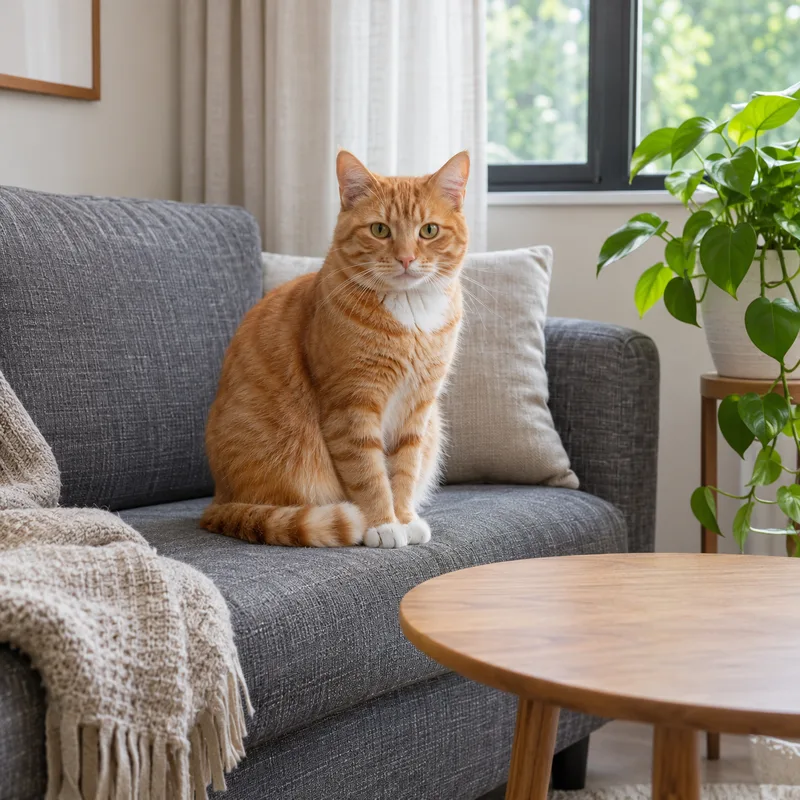
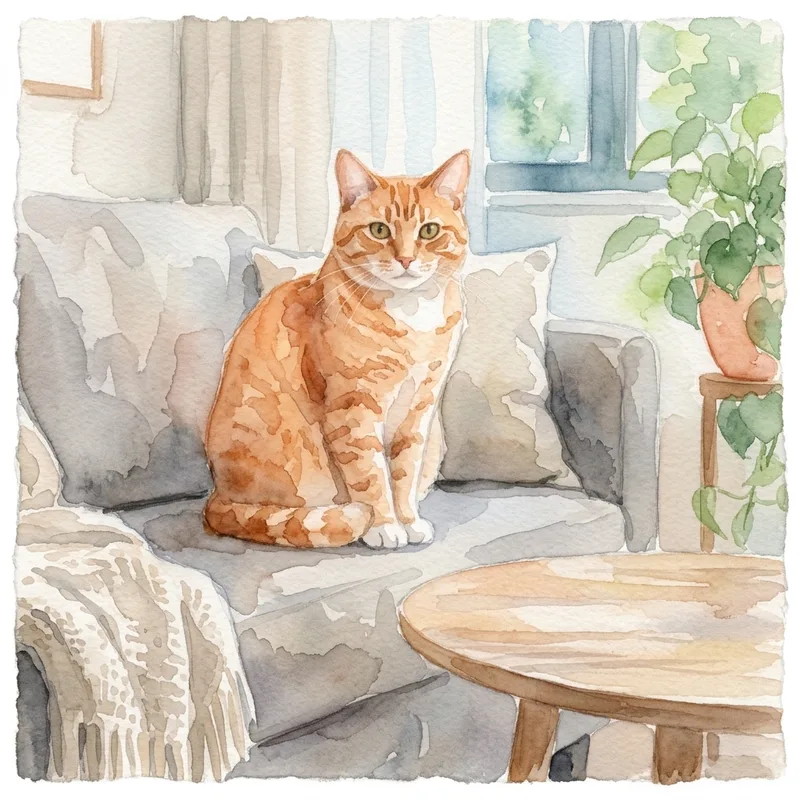
Prompt : Turn this scene into a soft watercolor painting. Keep the composition.
AI-created sample images. Results vary with your photo and prompt.
SAME STARTING POINT. THREE NEW DIRECTIONS.
Slide to see what a few words can change.
BeforeAfter“Turn this scene into a soft watercolor painting.”
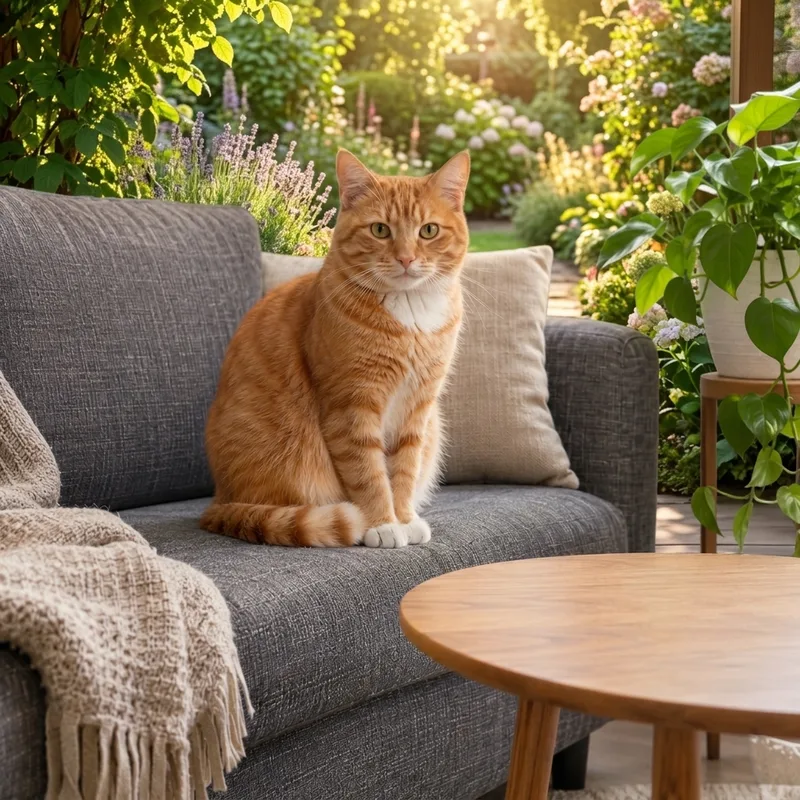 BeforeAfter
“Move the scene to a sunlit garden.”
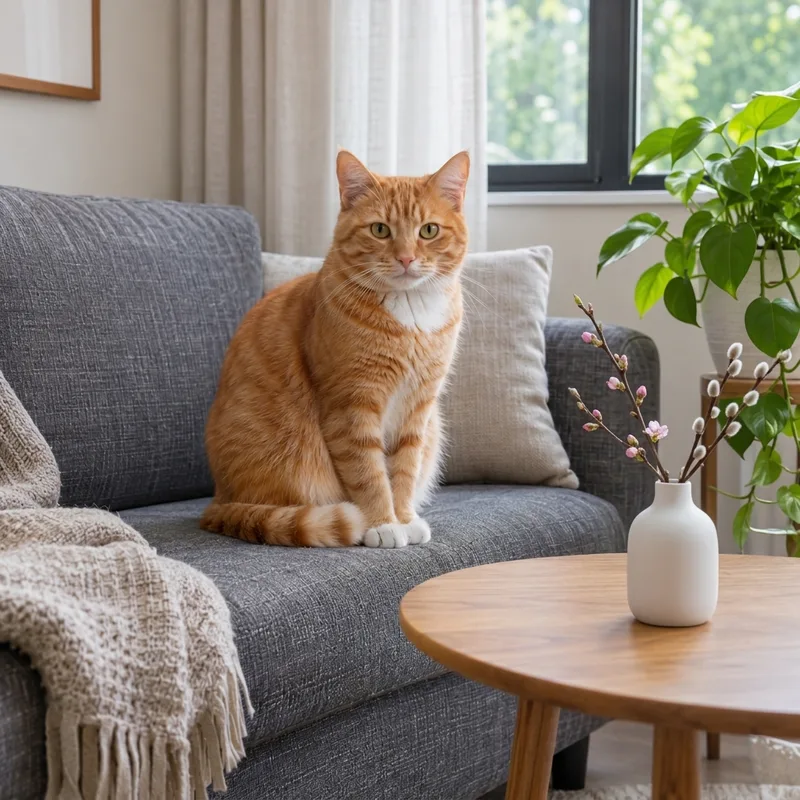 BeforeAfter
“Add a small ceramic vase on the table.”
AI-created reference photo and image-to-image edits. Results vary with your photo and instructions.
Upload a JPG, PNG or WebP image up to 10 MB. Clear subjects and good lighting give your edit a useful starting point. Large photos are automatically resized before upload.
Say what to change and what to keep. Try “make this a watercolor painting, keep the composition” or “replace the background, keep the subject unchanged.”
Run the quick security check and let AI create an edited image. Review the result and sign in to download the original. More detailed instructions can help when you try another variation.
Turn a photo into watercolor, a pencil drawing or a different artistic treatment while using the original image as a reference.
Describe a new setting, light or mood. Ask the generator to preserve the main subject while it changes the surrounding scene.
Add an object, remove a distracting detail or change a color. Be specific about placement and anything that should stay unchanged.
AI may change details you wanted to keep. Check faces, text, product details and backgrounds before using an image.
Yes. Img2img is a short way to write image to image: a process that starts with an existing picture and uses AI to create a new version. Your photo provides visual context; your prompt describes the change.
Unlike text-to-image generation, you do not start with words alone. The reference image helps guide the composition and subject. How closely a result follows the original depends on the model and the edit you ask for.
Start with 24 guest credits, then sign in for 24 more. No payment details required. Choose your model and resolution before generating.
24 + 24 creditsone-time grants · each valid for 7 days
Credits do not reset daily. Model and resolution determine the cost. Shared free capacity and claim limits apply. Extra purchases are not open yet.
Make your first edit ↗Upcoming paid plans. Purchases are not open yet. All prices are in USD.
Claim 24 guest credits once, plus 24 on first verified sign-in. Each grant expires after 7 days. Sign in to download originals. Purchases remain closed.
No. Upload a photo and describe your edit to use the free trial without an account. Sign in to download the original image and claim 24 extra credits. A security check runs for free credit claims and generations.
Upload a JPG, PNG or WebP photo up to 10 MB. Large photos are resized on your device before upload. Animated images are not supported.
You must have permission to use the uploaded photo and any people, logos or other protected material in it. Generated images are not guaranteed to be unique or cleared for every commercial use. Review the terms before publishing.
Claim 24 guest credits once, plus 24 credits on your first verified sign-in. Each grant expires after 7 days and does not reset daily. Nano Banana 2 at 1K costs 24 credits; other models and resolutions have different costs. Confirmed failures restore the credits to their original expiry. Shared free capacity and account, device and network limits apply.
The one-time trial credits require no payment details. Additional purchases are not open yet. There is no automatic subscription or charge when your free trial ends.